Your Garmin Is Collecting Data You’ll Never Read. Here’s How to Fix That
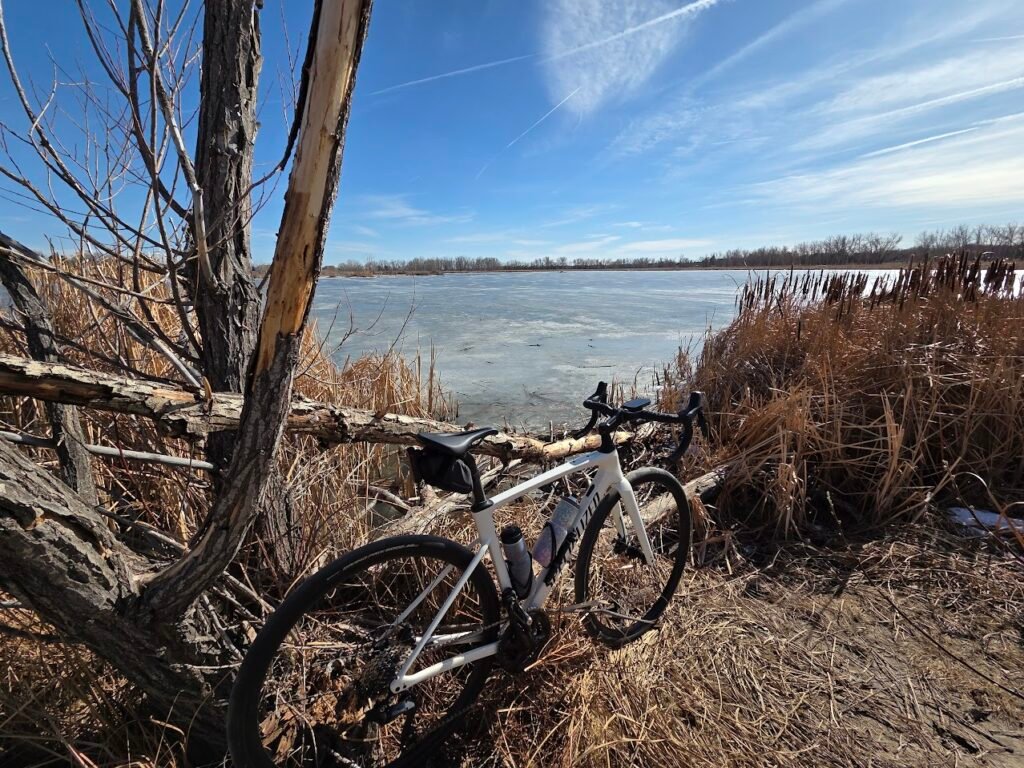
I ride with a Garmin Fenix 8, an Edge 1050, Rally power meter pedals, a cadence sensor, speed sensor, DI2 integration, a rear radar, and a heart rate monitor. The data coming off a single ride is enormous. My capacity to actually do anything useful with it is not.
Garmin Connect shows you the numbers. It graphs them. It gives you colored badges. But it doesn’t help you understand what to do differently, why something went wrong, or what you should eat tonight based on what you did today. A Garmin MCP server changes that. Here’s how I set it up and what I actually use it for.
What Is a Garmin MCP Server
MCP stands for Model Context Protocol. It’s a standard that lets AI assistants like Claude connect directly to external data sources. Instead of copying and pasting a workout summary into a chat window, an MCP server gives Claude structured, real-time access to your Garmin Connect account. It can pull activity details, health metrics, sleep data, training load, heart rate, body battery, and a lot more, on demand, in context.
The one I use is garmin_mcp by Taxuspt. It covers 95+ tools and exposes most of what the Garmin Connect API offers.
The MFA Problem Nobody Mentions
If you have two-factor authentication enabled on your Garmin account, you’re probably going to hit a wall. MCP servers run as background processes without terminal access. When Garmin asks for an MFA code during login, there’s nowhere to enter it. Most repos in this space don’t document this at all. You get a vague auth failure and no clear path forward.
garmin_mcp solves it with a one-time pre-authentication step. Before you touch any config file, run this in your terminal:
uvx --python 3.12 --from git+https://github.com/Taxuspt/garmin_mcp garmin-mcp-authYou’ll be prompted for your email, password, and MFA code. It saves OAuth tokens to ~/.garminconnect. From that point on, the server uses those tokens automatically.
Verify it worked:
garmin-mcp-auth --verifyTokens last roughly six months. When they expire:
garmin-mcp-auth --force-reauthConfiguring Claude Desktop
Once you’ve pre-authenticated, add this to your Claude Desktop config.
macOS: ~/Library/Application Support/Claude/claude_desktop_config.json
Windows: %APPDATA%\Claude\claude_desktop_config.json
{
  "mcpServers": {
    "garmin": {
      "command": "uvx",
      "args": [
        "--python",
        "3.12",
        "--from",
        "git+https://github.com/Taxuspt/garmin_mcp",
        "garmin-mcp"
      ]
    }
  }
}
No credentials in the config. The saved tokens handle it. Restart Claude Desktop and you’re connected.
One common gotcha: if Claude Desktop says it can’t find uvx, it’s a PATH issue. Run which uvx in your terminal and replace uvx in the config with the full path.
What I Actually Use It For
Setup is table stakes. This is the part that matters.
Power Balance and Cleat Alignment
Rally power meter pedals capture left/right power split on every pedal stroke. My split was consistently running around 53/47, sometimes worse. I knew the number. I had no idea what to do about it.
This is one case where the MCP connection alone isn’t enough. Garmin Connect’s API doesn’t expose pedal stroke detail at the resolution you need for this kind of analysis. You have to export the FIT file from Garmin Connect directly and upload it to Claude alongside the conversation. The MCP server handles the context: training load, recent history, fatigue state, how this ride fits into the pattern of the last few weeks. The FIT file handles the detail: the actual left/right split values, cadence at each moment, grade, where in the ride the imbalance spiked.
With both in the conversation, I asked Claude to look for patterns: when did the imbalance get worse, what was cadence doing at those moments, were there correlations with grade or fatigue. That conversation surfaced something I hadn’t connected on my own. The issue wasn’t just strength asymmetry. Cleat position was affecting how efficiently my left foot was pushing through the stroke, changing the angle of force at each rotation.
A professional fitter had told me something similar once. Walking through my own data made it click in a way that stuck. I’ve since made small cleat adjustments, a couple degrees of rotation to correct the angle. It’s iterative and I’m still dialing it in, but I’m making informed changes rather than guessing, and the split is trending the right direction.
To export a FIT file: open the activity in Garmin Connect, click the three-dot menu, and choose Export Original. Save it locally and upload it directly into the Claude conversation window before asking your analysis questions.
Cadence vs. Power: What I Was Stabilizing Wrong
I’d been riding for a while and still struggling with gear selection. Panic shifting, constantly playing catch-up on climbs and accelerations. I thought I was trying to keep my power steady.
After reviewing several rides worth of data together, Claude identified what was actually happening: I was chasing power stability, but my cadence was swinging all over the place. The cleaner mental model at my stage of riding is to target a cadence range and let power follow. When you’re in the right gear for your cadence, power largely takes care of itself.
That’s a simple concept. But I needed my own data to see it, and I needed the conversation to make the connection.
Nutrition Calibrated to What You Actually Did
Generic nutrition advice is useless for this. A 45-minute zone 2 spin and a 3-hour ride with elevation are not the same recovery problem.
After back-to-back riding days recently, I asked what I should have for dinner and mentioned I was thinking salmon and rice with a quinoa salad. Instead of a generic answer, Claude pulled my actual data first: 19.7 km that day, a 56.5 km ride from the day before, a sleep score of 85 with only 8% deep sleep, and a body battery that had dropped from 90 to 20 throughout the day. Total estimated burn was around 2,292 calories.
The meal direction was right, it told me, but it gave me specific gram targets based on the actual effort: 150-175g cooked rice, 100-125g cooked quinoa, two full cans of protein. When I sent a photo of what I actually had, it recalculated on the spot, pointed out the salmon was the better choice nutritionally, and flagged that because it was leaner I needed to make sure I got fat elsewhere on the plate to absorb the vitamin D.
That’s not a meal plan. That’s a conversation about your specific body, your specific day, and what’s actually in your kitchen. The difference is significant.
I haven’t connected a meal tracking app yet. I can imagine how much more precise these conversations get when actual food logs are part of the picture.
Dynamic Workout Scheduling
A static training plan doesn’t survive contact with real life. Some days I have two hours. Some days I have twenty minutes.
When a planned workout isn’t happening, I go to my Claude project and explain what I actually have available. Claude pulls recent activity data, looks at what I’ve been doing and what I’m recovering from, and builds something appropriate for the time I have. A two-hour endurance ride doesn’t get skipped. It becomes a 20-minute indoor strength session that targets what actually needs work.
That adaptability has made training stick in a way rigid schedules never did.
What This Isn’t
Claude is not a certified coach, a doctor, or a bike fitter. Everything it surfaces is a starting point for thinking and for testing, not a prescription. The value is in analysis and conversation, not blind compliance.
The API this tool relies on is also unofficial, built on the community-maintained python-garminconnect library. Garmin could change things in ways that break it. That’s the honest tradeoff with open-source tooling built on closed ecosystems.
For converting a wall of numbers into something you can actually act on, it’s the best thing I’ve added to my setup.
I work with teams thinking through how AI tooling fits into real systems, not just fitness apps but engineering workflows, data pipelines, and production infrastructure. If that’s a conversation you’re having, I’m easy to reach.